| High productivity |
New super-fast graphics engine and automatic image enhancement functions deliver high productivity and excellent quality scans every time |
| Scan or Scan and copy |
SmartWorks Imaging includes full scan and simultaneous copy functionality with optional preview alongside regular scan to file |
| Scan file reworking |
Old scans can be reloaded, reformatted, reprinted or resized by the user |
| Trial version |
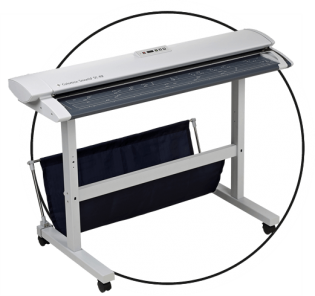
SmartWorks Imaging is fully functional with SmartLF SCi and SGi scanners for 30 days before a digital license needs to be purchased |
| Demo mode |
SmartWorks Imaging can be evaluated without a scanner and all scan and copy functions explored for up to 30 days without a license |
| Printer drivers |
Drivers from all main printer manufacturers are included. Free updates from colortrac.com/smartworks-imaging-supported-printers |
| User interface |
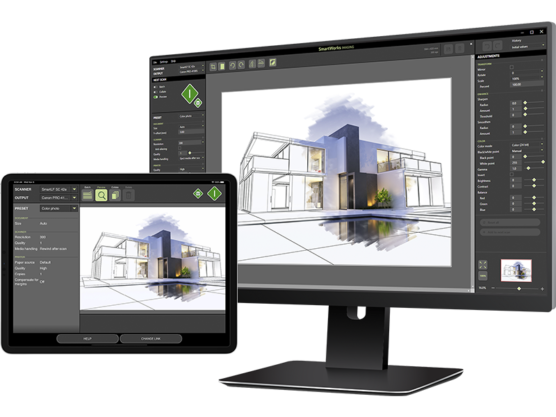
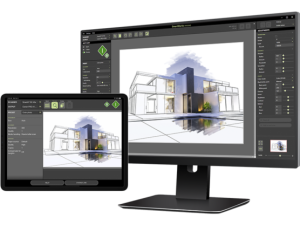
A modern, dark theme interface uses high visibility colors for temporary settings. Choose standard or simplified layout |
| Zoom and pan |
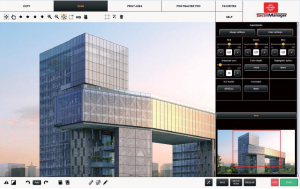
Zoom and pan with ALT/CTRL + mousewheel or use bird’s eye viewer for an instant confirmation of scan quality |
| Progress indicators |
Multi-page and copy collation thumbnails for visual feedback of scan and copy progress |
| Presets (filters) |
Choose from a range of factory-made presets closest to your document. Presets can be copied, refined and adapted by the user |
| Edit history |
Return to any point in an editing sequence of un-saved changes |
| Automatic features |
Scan on paper detection (batch scanning),Auto black and white point, File numbering / manual override / date and time stamping, Printed border removal during copy, (cropping printer margins from old copies) |
| Advanced editing |
Smoothing and sharpening, skewed image correction, invert and despeckle or holefill Crop and add white paper functions for clean up of damaged originals |
| Multiple black & white modes |
Scan legacy drawings and choose from two levels of adaptive, dithered bi-tonal and simple threshold modes |
| Color management |
Select sRGB, Adobe RGB or a device (scanner) color space to work in |
| Supported file formats (24-, 8- or 1-bit) |
TIFF, TIFF packed bits, TIFF LZW, TIFFG3, TIFFG4, JPEG, JPEG2000, PDF, PDF/A, PNG, PCX, BMP, AutoCAD DWF |
| File image quality / size |
Select from variable lossy, lossless or uncompressed file formats to control file size, image quality and scan file load time |
| Non-raster PDFs |
Scan legacy drawings and choose from two levels of adaptive, dithered bi-tonal and simple thresholding modes. Open PDF files containing scan and non-raster information |
| Maximum scan length |
Unlimited for TIFF, greatly extended for PDF, JPEG limited to 65535 lines |
| Maximum copy length |
Not limited by scanner but dependent on scan dpi, printer and printer driver used |
| Multi page documents |
Scan multiple documents to a single output file. PDF and TIFF file formats only |
| Security |
No reliance on a physical protection device for greater user convenience and simpler delivery |
| Operating system |
Windows 11 64-bit, Windows Server 2025 |